Preventive AV Maintenance Checklist for Hotels and Conference Centers
For hotels and conference centers, audiovisual equipment is part of the guest experience. A microphone that cuts out, a projector that will not connect, or a display that fails minutes before a presentation can quickly become an operational problem for both the venue and the event planner.
That is why preventive AV maintenance should be treated as an ongoing operational responsibility rather than something that happens only after equipment stops working. A consistent maintenance process helps venue teams identify small issues early, keep systems organized, and improve reliability across meeting rooms, ballrooms, conference spaces, and event areas.
This preventive AV maintenance checklist gives hotel and conference center teams a practical framework for keeping audiovisual systems ready for daily meetings and larger live events.
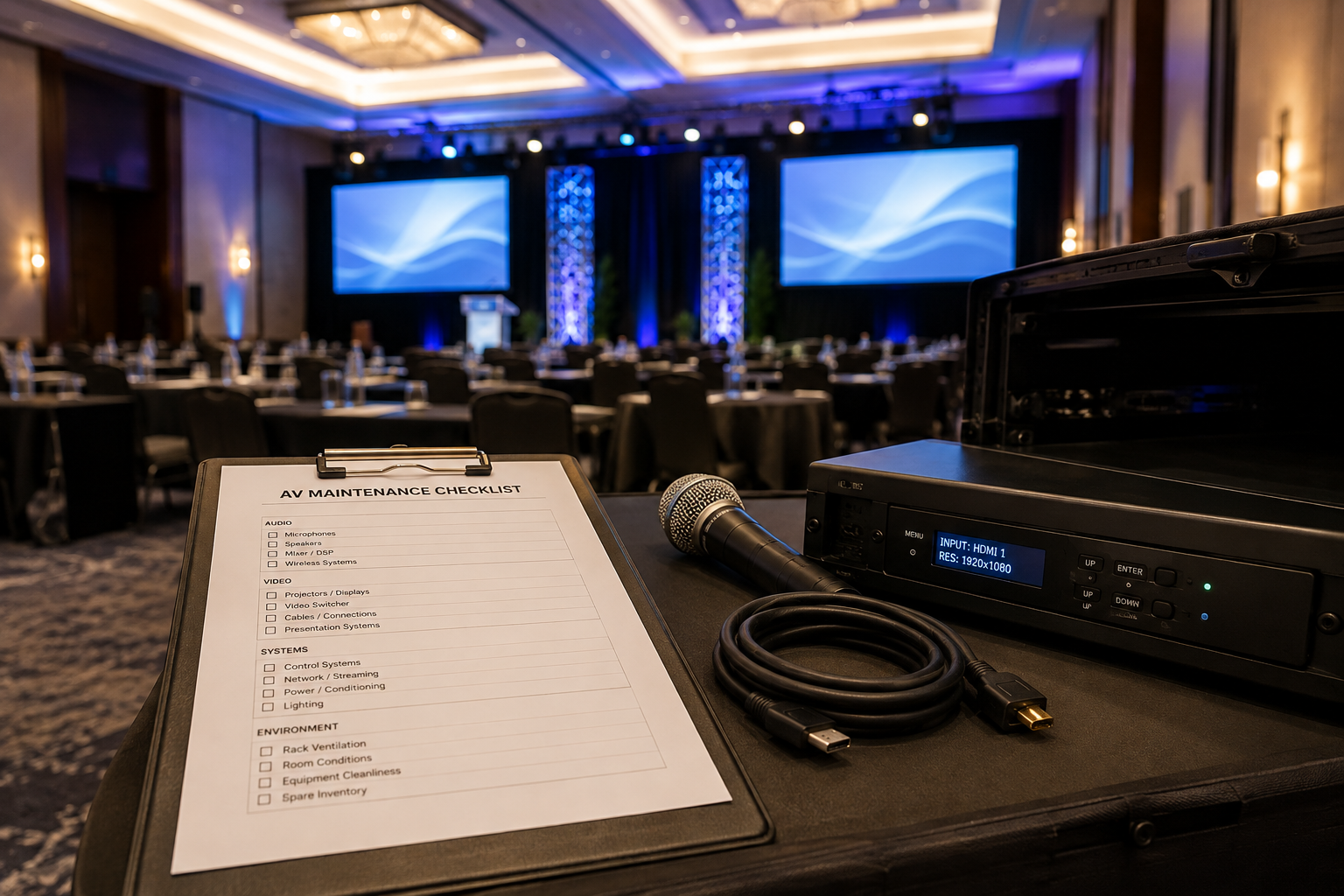
Why Preventive AV Maintenance Matters for Hotels and Conference Centers
AV equipment inside a busy venue often experiences more wear than equipment in a typical office environment. Microphones are handled by different users, cables are repeatedly connected and disconnected, equipment is moved between rooms, and systems may need to support multiple events in a single day.
Without a preventive maintenance routine, relatively minor problems can remain unnoticed until an event is already underway. Loose connections, aging cables, weak batteries, dirty ventilation systems, damaged connectors, and outdated equipment can all affect reliability.
For properties that rely heavily on meetings and events, AV maintenance also supports the broader guest and planner experience. Hotels and conference centers that want more consistent audiovisual operations may benefit from working with an experienced venue AV partner that understands the demands of hospitality environments.
1. Inspect AV Equipment for Visible Damage
Start with a simple visual inspection of frequently used equipment. Physical damage is often the easiest warning sign to identify before it develops into a more serious problem.
Check microphones for damaged grilles, switches, battery compartments, and connectors.
Inspect speakers, monitors, projectors, and displays for visible damage.
Look for bent or loose input and output connections.
Check equipment racks for loose components or unusual wear.
Inspect podium connection panels and wall plates.
Confirm that equipment labels remain readable and accurate.
Equipment that is frequently moved between meeting rooms deserves extra attention. Portable systems usually experience more handling than permanently installed equipment.
2. Test Cables, Adapters, and Connection Points
Cables are among the hardest-working components in an event AV system. They are coiled, transported, connected, disconnected, and sometimes stepped on during room changes and event setups.
Routine cable inspection should include common audio, video, power, network, and presentation connections used throughout the property.
Check cable jackets for cuts, crushing, or exposed wiring.
Inspect connectors for bent pins or loose housings.
Test frequently used HDMI, XLR, Ethernet, USB, and presentation cables.
Verify that adapters and converters function correctly.
Remove damaged cables from service instead of returning them to inventory.
Organize and label cables so technicians can quickly identify the correct connection.
A well-organized cable inventory can also reduce setup time when meeting rooms need to be turned quickly between events.
3. Check Wireless Microphones and Batteries
Wireless microphones are essential for conferences, general sessions, panel discussions, training events, and corporate meetings. They should be checked regularly rather than only moments before an event begins.
Test handheld, lavalier, and headset microphones.
Inspect battery compartments and contacts.
Confirm transmitters and receivers pair correctly.
Check antenna connections.
Verify microphone labeling matches the appropriate receiver or channel.
Keep fresh batteries or fully charged rechargeable batteries available.
For properties with several event spaces, maintaining consistent microphone labeling and storage procedures can make it much easier for technicians to prepare systems efficiently.
4. Test Speakers and Audio Systems
Audio problems can be especially noticeable to attendees because every speaker, panelist, announcement, or video may depend on the sound system.
Periodic audio testing should confirm that the complete signal path is working, not simply that the mixer powers on.
Test microphones through the complete audio system.
Listen for distortion, buzzing, hum, or intermittent audio.
Confirm speakers are operating in all intended areas of the room.
Verify mixer inputs and outputs.
Check podium and presentation audio connections.
Confirm playback devices can send audio into the room system.
Ballrooms that can be divided into multiple sections deserve additional attention because system configurations may change depending on room layout.
5. Inspect Displays, Projectors, and LED Systems
Visual systems are another major part of the attendee experience. Hotels and conference centers should routinely verify that displays are functioning properly and that common presentation sources can connect without difficulty.
Check displays and projectors for image problems or unusual discoloration.
Confirm input sources switch correctly.
Inspect projector lenses and accessible ventilation areas for dust buildup.
Test presentation computers and common guest connections.
Confirm confidence monitors and secondary displays receive the correct signal.
Inspect portable displays and mounting hardware for visible damage.
If existing equipment is becoming unreliable or no longer meets the needs of modern events, an assessment of the property's AV installation can help determine whether maintenance, replacement, or a broader system update makes the most sense.
6. Clean Equipment and Maintain Proper Ventilation
Dust can accumulate around AV equipment, especially inside equipment racks, near projectors, and around ventilation openings. Excessive buildup can interfere with airflow and contribute to equipment running hotter than intended.
Cleaning should follow manufacturer recommendations and should never involve opening equipment that requires qualified service personnel.
Remove visible dust from accessible exterior surfaces.
Keep ventilation openings clear.
Check that rack ventilation is unobstructed.
Keep storage areas clean and dry.
Avoid stacking equipment in ways that restrict airflow.
Any cleaning or maintenance that requires access to internal electrical components should be handled by qualified personnel.
7. Test Presentation and Guest Connectivity
Many AV issues begin at the point where a guest device connects to the venue system. A room may have perfectly functional displays and speakers but still create problems if the presentation connection is unreliable.
Test the primary laptop connection used in each meeting space.
Verify commonly needed adapters are available.
Check presentation switchers and control interfaces.
Confirm audio follows the correct video source.
Test wireless presentation systems when installed.
Keep a known working test laptop or signal source available for troubleshooting.
Testing the complete user experience is more useful than checking individual pieces of equipment in isolation.
8. Check Network-Dependent AV Systems
Modern audiovisual systems increasingly rely on network connectivity for control, streaming, conferencing, digital audio, video distribution, and remote management.
Venue teams should coordinate with IT staff when AV systems depend on property networks. Maintenance checks may include confirming network connections, testing conferencing systems, reviewing device connectivity, and ensuring event-specific network requirements are understood before setup begins.
This becomes especially important for hybrid events, livestreams, and conferences where remote audiences depend on stable audio, video, and network performance.
9. Keep AV Firmware and Software Organized
AV systems may include digital mixers, wireless microphone systems, control processors, conferencing platforms, presentation computers, and other devices that use firmware or software.
Updates should be managed intentionally. Installing an update immediately before an important event can introduce unnecessary risk if compatibility has not been verified.
Maintain a record of important device and software versions.
Review manufacturer update information before making changes.
Test significant updates before relying on them for a live event.
Avoid unnecessary system changes immediately before major programs.
Document configuration changes for future troubleshooting.
10. Maintain an Accurate AV Equipment Inventory
Hotels and conference centers often accumulate AV equipment over time. Without an accurate inventory, teams may not know which equipment is operational, which room it belongs to, or when it should be replaced.
Record major equipment by type and location.
Track portable microphones, adapters, cables, and presentation equipment.
Identify equipment that is damaged or awaiting repair.
Record model and serial information when useful.
Document equipment that is nearing replacement.
Use consistent storage locations and labeling.
Inventory management is especially useful for multi-room conference facilities where equipment may move between spaces frequently.
11. Document Problems Instead of Relying on Memory
Intermittent AV problems can be difficult to troubleshoot because they may disappear after an event. A simple issue log can help identify patterns before a failure becomes more serious.
Record the date and room where the issue occurred.
Identify the equipment involved.
Describe what happened.
Note any troubleshooting steps that were performed.
Record whether the problem was resolved or requires follow-up.
Over time, this documentation can help venue teams identify recurring equipment failures, rooms that require additional attention, and systems that may need replacement.
12. Perform a Pre-Event System Check
Preventive maintenance should reduce technical surprises, but it does not replace a proper pre-event check. Every important event should still be tested according to the specific equipment and room configuration being used.
Power on the complete system.
Test every microphone being used.
Verify presentation content appears on the correct displays.
Test presentation audio and video playback.
Confirm lighting and control systems operate as expected.
Test conferencing or streaming connections when applicable.
Confirm backup cables, adapters, batteries, and other essential items are available.
For larger conferences and live events, broader professional AV services may also include technical planning, equipment, staffing, and production support beyond the venue's permanent system.
How Often Should Hotel AV Equipment Be Maintained?
There is no single maintenance schedule that fits every property. The appropriate frequency depends on how often the equipment is used, how frequently it is moved, the type of system, manufacturer recommendations, and the volume of events hosted by the property.
A useful approach is to divide maintenance into different levels.
Before Major Events
Test the complete system that will be used for the event, including microphones, displays, presentation connections, audio playback, and any streaming or conferencing components.
Routine Operational Checks
Frequently used equipment should be visually inspected and function-tested on a recurring basis based on the venue's event schedule and workload.
Periodic System Reviews
More comprehensive reviews can examine equipment condition, cabling, system configuration, software, documentation, inventory, and equipment that may be approaching replacement.
Properties with an established in-house AV program can also benefit from clearly defining who is responsible for maintenance, testing, documentation, event support, and equipment planning. Verum AV's guide on what to expect from an in-house AV partner provides additional context for evaluating that relationship.
Create a Maintenance Checklist for Each Meeting Space
A single property-wide checklist is helpful, but room-specific documentation can make preventive AV maintenance more effective. Each ballroom, boardroom, breakout room, and conference space may have a different combination of equipment.
A room-level checklist can identify the equipment that should be present, the connections that should work, and the basic tests technicians should perform. This makes expectations more consistent across shifts and helps new team members understand how each room is supposed to operate.
It also creates a clearer baseline. When something changes, the team can more easily identify whether equipment has been moved, disconnected, damaged, or reconfigured.
Reliable AV Starts Before the Event
The best time to discover an AV problem is not five minutes before a keynote presentation. Preventive maintenance gives hotel and conference center teams a structured way to find issues earlier, keep equipment organized, and reduce avoidable technical surprises.
The most effective programs combine routine inspections, equipment testing, accurate documentation, organized inventory, and clear responsibility for system upkeep. For venues that host frequent meetings and events, a knowledgeable AV partner can also help connect day-to-day maintenance with long-term equipment planning and reliable event operations.