Most event AV problems do not begin when a microphone stops working or a presentation disappears from the screen. They begin during planning, often weeks or months before the event.
Late decisions, incomplete information, unclear responsibilities, and unrealistic budgets can create delays that affect speakers, attendees, venue staff, and event organizers. These issues can also increase labor costs, require last-minute equipment changes, or reduce the overall quality of the event.
Whether you are planning a corporate meeting, conference, hotel event, awards dinner, product launch, or hybrid program, avoiding the following common event AV mistakes can help protect your schedule, budget, and attendee experience.
1. Waiting Too Long to Involve the AV Team
One of the most common event AV mistakes is treating audiovisual production as a final-stage task. Planners may secure the venue, confirm speakers, design the agenda, and sell registrations before discussing the technical requirements.
By that point, important decisions may already be difficult or expensive to change. The selected room may not have enough power, the stage may be too small, the ceiling may limit lighting options, or the schedule may not allow enough time for setup and testing.
How to Avoid This Mistake
Bring the AV team into the planning process as soon as the venue and event format are being considered. Early collaboration allows the production team to review the space, identify technical limitations, and recommend solutions before contracts and schedules are finalized.
A professional event production partner can also help align the stage, audio, video, lighting, streaming, and presentation systems with the event goals rather than forcing the technology into a plan that is already fixed.
2. Failing to Define the Event’s Technical Goals
Equipment lists are not a substitute for a clear event objective. Asking for microphones, projectors, screens, and lighting without explaining how the event will operate can lead to a system that is technically functional but poorly matched to the program.
A leadership meeting with several remote presenters has different needs than an awards dinner with live entertainment. A training conference may require confidence monitors and presentation switching, while a product launch may depend on dramatic lighting, video playback, and branded visual content.
Information the AV Team Needs
The production team should understand:
The event format and primary purpose
The expected number of attendees
The number of presenters, performers, and panelists
Whether participants will join remotely
The types of presentations and video content being used
Recording, streaming, or content delivery requirements
Any accessibility or language interpretation needs
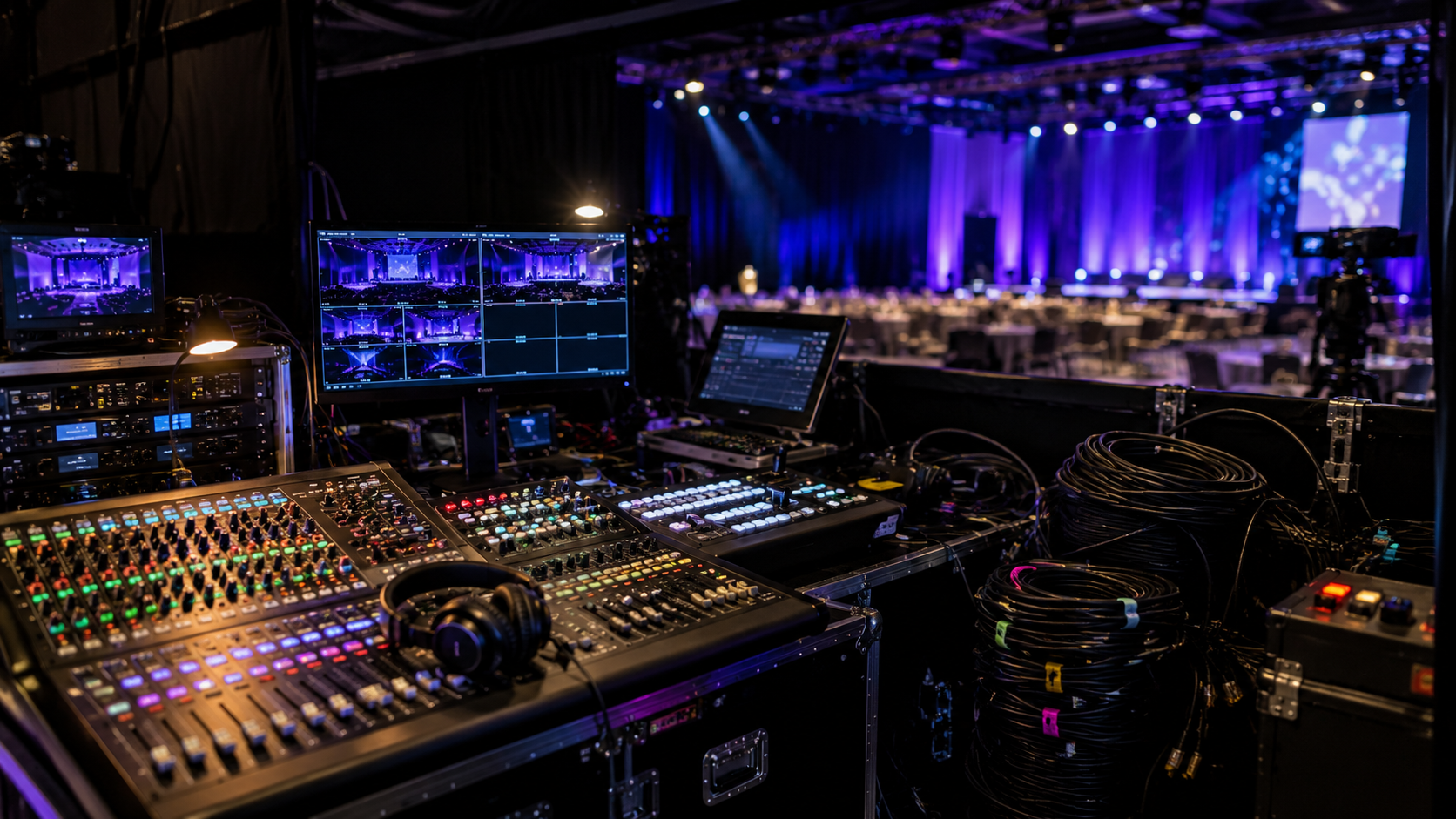
Clear goals allow the production team to design a complete system instead of making assumptions based on a basic equipment request.
3. Choosing AV Based Only on the Lowest Price
Event planners have a responsibility to manage costs, but choosing an AV proposal based only on the lowest total can create larger expenses later. Two quotes may appear similar while including very different equipment, labor, support, setup time, testing, and contingency coverage.
A lower quote may exclude overtime, additional technicians, rehearsal support, internet services, rigging, power distribution, delivery, or backup equipment. Those exclusions can become change orders when the event is already approaching.
How to Compare Proposals Accurately
Review the scope, staffing plan, schedule, equipment specifications, and exclusions in each proposal. Ask what happens if the agenda changes, a presenter joins remotely, or the event requires additional rehearsal time.
It is also helpful to understand the factors that influence corporate event AV costs before setting the budget. A complete proposal should reflect the actual event requirements, not simply the smallest possible equipment package.
4. Overlooking Venue Power, Internet, and Access Requirements
Every venue has technical limitations. Ballrooms, conference centers, hotels, outdoor spaces, and temporary structures may differ significantly in available electrical service, internet capacity, loading access, ceiling height, rigging points, and setup restrictions.
Ignoring these details can cause equipment changes, added venue charges, extended setup times, or last-minute compromises.
Questions to Confirm With the Venue
Before finalizing the production plan, confirm:
How much dedicated electrical power is available?
Is wired internet available at the production location?
Can the network support streaming and remote presenters?
What are the loading dock and freight elevator hours?
Are there rigging, union, or exclusive vendor requirements?
How early can the production team enter the room?
When must equipment be removed after the event?
A site visit or detailed venue review can identify these issues before they affect the production schedule.
5. Underestimating Room Size and Audience Sightlines
A screen that looks large in an equipment proposal may still be too small for the room. Attendees seated at the back or sides may struggle to read slides, see video content, or follow a panel discussion.
Sightline problems can also be caused by low stages, decorative structures, chandeliers, columns, lighting fixtures, cameras, or poorly positioned screens.
Plan for the Full Audience
Screen size and placement should be based on room dimensions, seating layout, content type, and viewing distance. Presentation slides with small charts or detailed text require more visibility than simple branding graphics.
The AV team should review floor plans before equipment is selected. For larger rooms, the plan may require multiple screens, image magnification cameras, elevated displays, or a different seating arrangement.
6. Treating Audio as a Basic Equipment Requirement
Attendees may tolerate a less dramatic lighting design, but they quickly disengage when they cannot hear the presenter. Poor audio can make even a well-planned event feel disorganized.
Common audio problems include feedback, uneven volume, incorrect microphone selection, insufficient speaker coverage, missing playback connections, and a lack of monitoring for presenters or performers.
Audio Planning Should Consider
A complete audio plan should account for:
The number and type of microphones
The room’s size and acoustic characteristics
Panel discussions and audience questions
Video playback and walk-in music
Remote presenters and virtual participants
Press feeds, interpretation systems, or assistive listening
Stage monitoring for performers
Reliable audio requires system design, correct placement, testing, and active operation during the event. It should not be treated as simply placing a few speakers and microphones in the room.
7. Skipping Rehearsals and Technical Checks
A rehearsal is not only for presenters. It gives the production team an opportunity to test microphones, presentations, videos, lighting cues, walk-on music, remote connections, camera framing, and transitions.
Skipping this step increases the chance of discovering problems in front of the audience. Presentation fonts may change, videos may not play correctly, remote speakers may have poor audio, or presenters may not understand how to use confidence monitors and slide controls.
Build Testing Into the Schedule
Reserve enough time for system testing before presenters arrive, followed by a technical rehearsal with the people who will be on stage. Complex programs may also require a full cue-to-cue rehearsal that covers every major transition.
Presentation files should be collected in advance whenever possible. Last-minute content changes should follow a defined process so the correct version reaches the presentation operator.
8. Leaving Roles and Communication Channels Unclear
Technical problems are more difficult to solve when no one knows who has final approval or where updated information should be sent. Event planners, venue staff, speakers, producers, designers, and executives may all provide instructions that conflict with one another.
Unclear communication can lead to duplicate work, missed cues, incorrect files, delayed room changes, and unexpected costs.
Create a Clear Decision Structure
Identify one primary event contact and one production contact. Define who can approve schedule changes, equipment additions, overtime, content updates, and room modifications.
The event team should also use a current run of show that includes timing, presenter names, content notes, stage movements, video cues, and technical requirements. Updated versions should be distributed through one agreed communication channel.
9. Planning Without Backup Systems or Contingencies
Even high-quality equipment can fail. Cables can be damaged, presentation computers can freeze, internet service can become unstable, and speakers can arrive with unexpected file formats or connection requirements.
The goal of contingency planning is not to eliminate every risk. It is to prevent a single failure from stopping the event.
Common Backup Considerations
Depending on the event, backup planning may include:
Spare microphones and batteries
Backup presentation computers
Redundant playback files
Alternative internet connections
Replacement cables and adapters
Backup recording or streaming paths
A clear response plan for schedule changes
The appropriate level of redundancy depends on the event’s importance, complexity, and tolerance for interruption. A board meeting, investor presentation, national conference, and internal workshop may require different backup strategies.
10. Treating a Hybrid Event Like a Simple Livestream
A hybrid event is not simply a live event with a camera pointed at the stage. It serves two audiences that experience the program differently.
Remote participants need clear audio, readable presentations, intentional camera coverage, platform support, and opportunities to interact. In-room attendees need a smooth program that is not constantly interrupted by technical adjustments for the online audience.
Plan the Virtual Experience Separately
The production plan should address how remote presenters will join, how virtual questions will reach the stage, what online participants will see between sessions, and who will provide technical support.
Hybrid events may require dedicated streaming technicians, camera operators, platform managers, remote speaker support, and separate audio mixes. These responsibilities should be included in the plan and budget from the beginning.
A Practical Event AV Planning Checklist
Before approving the final production plan, confirm that:
The AV team has reviewed the event goals and agenda
The venue’s technical requirements have been confirmed
The room layout and sightlines have been evaluated
The audio plan covers presenters, panels, playback, and remote participants
Presentation and video formats have been reviewed
Setup, testing, rehearsal, event, and removal times are documented
Technical roles and approval responsibilities are clear
The budget includes labor, venue charges, and likely contingencies
Backup equipment and response plans are in place
The in-person and virtual audience experiences are both supported
Planners should also evaluate whether the selected provider has the experience, communication process, staffing, and equipment needed for the event. This guide to choosing the right AV partner explains several factors to review beyond the equipment list.
Prevent Event AV Problems Through Better Planning
Successful event production depends on more than microphones, screens, cameras, and lighting fixtures. It requires early planning, accurate information, clear communication, experienced technicians, and realistic contingency preparation.
Avoiding common event AV mistakes can reduce last-minute changes, protect the production schedule, and help planners make better use of their budget. It also creates a more consistent experience for presenters, venue teams, remote participants, and attendees.
Verum AV Solutions provides audiovisual services for live events, hybrid programs, corporate meetings, conferences, hospitality venues, and organizations that need coordinated technical production. The strongest results begin when AV is treated as part of the event strategy from the start.